

Explore essential IT infrastructure solutions that ensure your technology stack remains robust.

November 18, 2026
The unseen routines and connections in IT infrastructure management often decide whether your technology investment pays off. Overlooking even one of five key areas can quietly weaken your entire stack.
You might have invested in the latest servers, cloud services, and security tools, but your IT infrastructure solutions are only as strong as the details holding them together. Even with the best hardware and software, missing a few overlooked pieces can quietly weaken your entire setup.
A reliable IT environment depends on more than just visible systems. One overlooked area can quietly create risks, slowdowns, or even downtime that ripple through your business operations.
IT infrastructure solutions include all the systems and processes that keep your technology running smoothly. They cover everything from network management and data storage to disaster recovery and access controls. When these pieces work together, your business stays productive and protected.
But the real difference often comes down to five components that rarely get the attention they deserve. Each one can quietly decide whether your technology investment pays off—or falls short.

Most businesses focus on the obvious: buying the right hardware, picking the best cloud infrastructure, and making sure software is up to date. These are essential, but they don’t cover the full picture.
What often gets missed are the less visible parts of infrastructure management—the policies, routines, and connections that keep everything working together. These are the pieces that, when left unmanaged, can quietly undermine your investment.
For example, a business in Bakersfield might have top-tier servers and cloud services, but if access governance or documentation is lacking, even the best systems can fail at the worst moment. The weakest link isn’t always what you see on the surface.
Some parts of managing IT infrastructure are easy to spot, like upgrading hardware or moving to a new cloud platform. But five components often go unnoticed, even though they play a huge role in keeping your systems reliable. These are the areas where small gaps can lead to big problems.
Monitoring is more than just checking if systems are online. It’s about tracking performance, spotting unusual activity, and catching issues before they become outages. Without strong monitoring, problems can build up quietly and only show themselves when it’s too late to prevent downtime.
Good documentation means having clear, up-to-date records of your systems, configurations, and processes. When documentation is missing or outdated, troubleshooting takes longer, and mistakes are more likely. It’s the difference between a quick fix and hours of confusion.
Access governance is about setting and enforcing rules for who can use what systems and data. If permissions aren’t managed carefully, sensitive information can end up in the wrong hands, or key systems can be accidentally changed. This isn’t just a security risk—it’s a business risk.
Patch cadence means having a regular schedule for updating software and firmware. Skipping patches or applying them inconsistently leaves your systems open to cyber threats. A strong patch routine keeps vulnerabilities from piling up and becoming a bigger problem.
Most businesses rely on multiple vendors for hardware, software, and cloud infrastructure. Vendor coordination means making sure all these providers are aligned when changes happen or problems arise. Without it, you risk delays, miscommunication, and gaps in support.
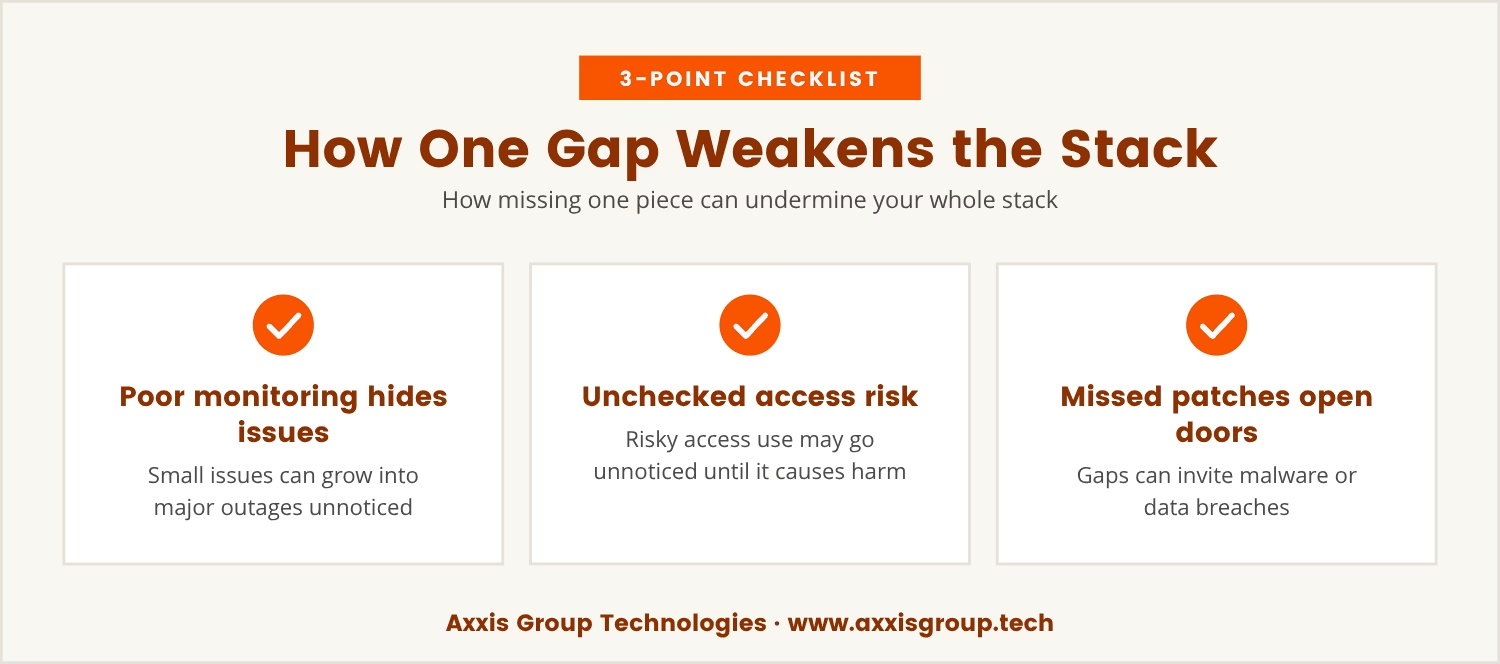
When even one of these five components is left unmanaged, the effects can ripple through your entire IT environment. For example, poor monitoring might let a small issue grow until it causes a major outage. Weak documentation can turn a simple fix into a drawn-out problem.
If access governance is ignored, you might not notice until someone uses their access in a way that puts your business at risk. A missed patch can open the door to malware or data breaches. And when vendors aren’t coordinated, fixing problems can take much longer than it should.
Each of these areas supports the others. When they’re all managed well, your infrastructure is stronger and more resilient. But when one is missing, the rest can’t fully do their job.
The best IT infrastructure solutions go beyond just installing equipment or moving to the cloud. They include proactive routines and checks that keep your systems healthy over time. This means monitoring for early signs of trouble, keeping documentation current, and reviewing access permissions regularly.
Proactive management also means sticking to a patch schedule and making sure vendors are looped in when changes happen. These steps may not be flashy, but they prevent problems before they start and help your business avoid costly downtime.
If you’re managing IT infrastructure for a business in Bakersfield, ask yourself: do you have routines in place for each of these five areas, or are you trusting that things will just work? The answer can make the difference between smooth business continuity and unexpected disruptions.
These steps help you manage IT infrastructure in a way that supports your business needs and reduces risk.
As your business expands, the risks and complexity of your IT environment grow, too. More users, more data, and more systems mean more places where things can go wrong. The five components discussed above become even more important.
A small oversight in one area can have bigger consequences when your business is larger. For example, a missed patch on a single server might not seem urgent for a small team, but for a company with 100 users, it could affect dozens of people and critical business operations.
Vendor coordination also gets harder as you add more services and providers. Without clear routines, it’s easy for responsibilities to fall through the cracks. That’s why businesses with 10 to 150 users need to pay special attention to these overlooked areas.
The real strength of your IT setup isn’t just in the hardware, software, or cloud infrastructure you choose. It’s in how you manage the details that hold everything together. Monitoring, documentation, access governance, patch cadence, and vendor coordination are the quiet forces that keep your systems running and your business moving forward.
Leaving even one of these pieces unmanaged can quietly undo the value of your investment. But when you focus on all five, you build a foundation that supports your business now and as you grow.

Many organizations with 10 to 150 users find that the details of IT management can slip through the cracks, even when their systems look solid from the outside. At Axxis Group Technologies, we understand how easy it is for these overlooked components to quietly undermine your technology investment.
If you want to see how we approach these challenges—or just want a conversation about your own setup—we invite you to reach out. Our team is ready to help you build a more reliable foundation for your business.
If you qualify, we’ll match your current IT costs or beat them by up to 20%, so you can strengthen your infrastructure without overspending.
Start by looking at your routines for monitoring, documentation, access controls, patching, and vendor communication. If any of these areas are handled informally or only when problems arise, you may have hidden gaps that could lead to downtime or security risks.
Strong infrastructure management helps prevent outages, protects sensitive data, and keeps your systems running efficiently. For businesses in this size range, it also means you can adapt quickly to changes and avoid disruptions that could impact your bottom line.
Most businesses use multiple vendors for hardware, software, and cloud services. If these vendors aren’t kept in sync, you can face delays, miscommunication, or support gaps when problems arise. Good coordination ensures everyone is working toward the same goal.
It’s best to review and update documentation and access permissions at least quarterly, or whenever there are major changes to your systems or staff. This helps keep your information accurate and reduces the risk of mistakes or unauthorized access.
Managed IT services provide ongoing support, monitoring, and maintenance from an external provider, often with specialized tools and expertise. Handling everything in-house means your own team is responsible for all aspects of your IT environment, which can be challenging as your business grows.