

Discover how outsourced IT support can enhance your internal team's focus on strategic projects while managing routine tasks effectively.

October 23, 2026
Home automation technology is changing how you manage your home. From lighting and temperature to security and entertainment, automation gives you more control, comfort, and safety. In this blog, you'll learn what home automation is, how it works, and the tools that make it possible. We’ll also cover common mistakes to avoid, key features to look for, and how to get started with systems like the Control4 home controller.
Whether you're looking to automate your lights, lock your doors remotely, or set up a voice assistant like Alexa, this guide will help you make informed decisions. You'll also discover how smart home devices, hubs, and wireless systems work together to give you peace of mind.
Home automation technology refers to the systems and devices that let you control various parts of your home automatically or remotely. These include lighting, heating, cooling, security, and entertainment systems. You can manage them through a smartphone app, voice command, or set schedules that run without input.
Most systems rely on a central hub or controller that connects to smart home devices using Wi-Fi, Bluetooth, or other wireless protocols. These connected devices can include smart thermostats, smart lights, smart locks, and more. The goal is to make your home more efficient, secure, and convenient.
In Bakersfield and similar areas, many homeowners are adopting these systems for energy savings and better home security. With the right setup, you can automate daily routines, reduce energy use, and monitor your home from anywhere.

Even the best home automation systems can fall short if not set up correctly. Here are some common mistakes to watch out for:
Jumping into automation without a plan can lead to wasted money and frustration. Think about what you want to control, how often you'll use it, and what devices need to work together.
Not all smart home devices work together. Make sure your smart lights, locks, and thermostats are compatible with your chosen hub or system, like the Control4 home controller.
Smart devices rely on a strong Wi-Fi connection. Weak signals can cause delays or failures. Consider adding Wi-Fi extenders or upgrading your router.
Adding too many devices at once can make the system hard to manage. Start small and expand as you get comfortable.
Smart home systems can be vulnerable if not secured. Use strong passwords, enable two-factor authentication, and keep firmware updated.
Many users forget to set up automation rules or routines. These rules help your home run automatically—like turning off lights when you leave.
If others in your home don’t know how to use the system, it won’t be effective. Take time to show everyone how it works.
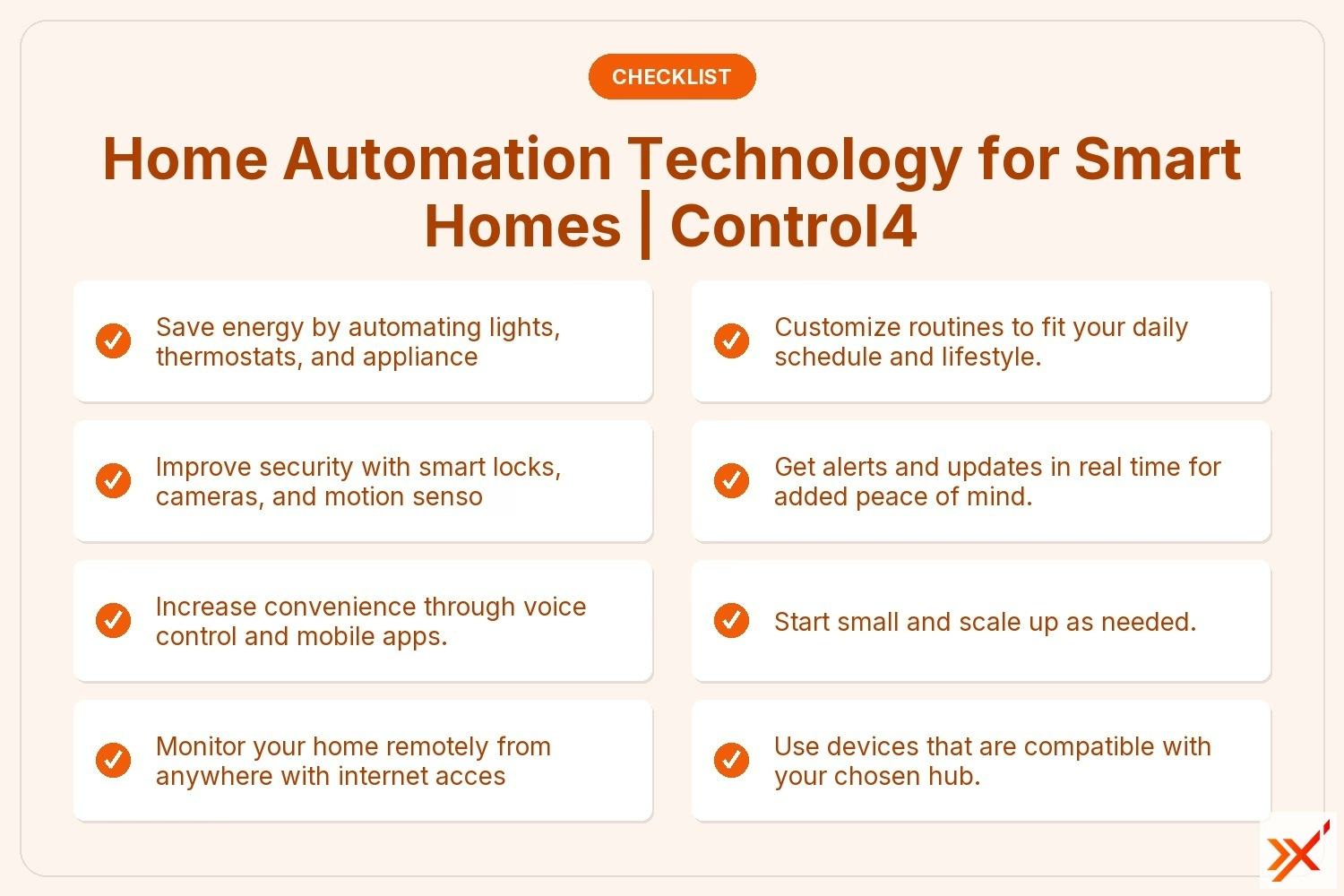
Smart home automation offers several practical advantages:

The Control4 home controller acts as the brain of your smart home. It connects and manages all your devices from one place. Whether you're using smart lights, speakers, or thermostats, Control4 helps them work together seamlessly.
One of its biggest strengths is compatibility. It supports thousands of third-party devices, making it easier to build a system that fits your needs. You can control everything through a single app or use voice commands with Alexa or Google Home.
Control4 also offers advanced automation features. For example, you can set scenes that adjust lighting, music, and temperature with one tap. It’s a reliable system for anyone looking to automate their home without juggling multiple apps or remotes.
Smart home systems rely on a mix of hardware and software to function smoothly. Here are some of the core components you’ll need:
These include smart lights, thermostats, locks, and plugs. They connect to your network and can be controlled remotely.
A hub like the Control4 home controller connects all your devices. It acts as the central point for communication and automation.
Most systems come with an app that lets you control devices, set schedules, and receive alerts.
Devices like Alexa and Google Home allow hands-free control. You can use voice commands to turn on lights or lock doors.
Wi-Fi, Bluetooth, Zigbee, and Z-Wave are common communication methods. Each has its pros and cons depending on your setup.
Services like IFTTT let you create custom rules. For example, you can set your lights to turn on when your phone connects to your home Wi-Fi.

To begin, identify what you want to automate. Start with one or two areas—like lighting or security—and expand from there. Choose a reliable hub or controller that supports your devices.
Next, install the devices and connect them to your network. Use the mobile app to set up schedules or scenes. Test everything to make sure it works as expected.
Finally, educate everyone in your household. Make sure they know how to use the system and what to do if something goes wrong. This ensures your smart home runs smoothly and safely.
Follow these tips to get the most from your home automation setup:
These steps will help you build a reliable and efficient smart home system.
Are you a business with 10 to 150 employees looking to automate your home or office space? Our team at Axxis Group Technologies specializes in helping growing businesses and homeowners build smart, connected environments that are easy to manage and scale.
We understand the challenges of choosing the right system, ensuring compatibility, and setting up secure networks. Whether you're interested in the Control4 home controller or need help integrating Alexa or Google Home, we’re here to guide you every step of the way. Contact us today to get started.
Home automation refers to the technology that lets you control devices automatically or remotely. A smart home is the result of using that technology. For example, using a smart thermostat to adjust temperature based on your schedule is home automation in action.
Smart home devices like smart locks, video doorbells, and voice assistants work together to make your home more efficient. When combined with a home automation system, they offer better control, convenience, and security.
Start with a few smart devices like a smart light or thermostat. Use a simple hub or mobile app to control them. As you get comfortable, add more devices and set up automation rules.
Avoid mixing too many brands unless they’re compatible. Use platforms like IFTTT to create custom routines. This keeps your system easy to manage and reduces confusion for everyone in your home.
A home assistant is a software or device that helps you control smart home devices. Examples include Alexa, Google Home, and Apple HomeKit. They respond to voice commands and can run automation routines.
You can use a home assistant to turn off lights, lock doors, or play music. They connect to your Wi-Fi and work with other smart devices to make your home more responsive and efficient.
The best home automation system for beginners is one that’s easy to set up and supports many devices. Control4 home controller is a strong option because it works with thousands of smart home products.
Look for systems that offer mobile apps, voice control, and good customer support. Start with basic features like lighting and security, then expand as your needs grow.
Google Home acts as a voice assistant and smart speaker. It connects to your Wi-Fi and controls compatible smart home devices. You can use it to play music, set reminders, or automate routines.
In a connected home, Google Home can work with smart lights, thermostats, and security cameras. It helps you manage your home using simple voice commands, making daily tasks easier.
Yes, home automation security can be very reliable when set up correctly. Smart locks, security cameras, and motion sensors offer real-time alerts and remote access.
Make sure to use strong passwords and keep your devices updated. A secure network and trusted devices will give you peace of mind and help protect your home from intrusions.
.jpeg)